
Industry Served: EdTech
MLI International Schools, A Connected Learning Platform for Centres, Staff, and Students
Digitising Course Delivery, Assessment, and Scheduling Across Multiple Learning Centres
Bringing Every Learning Centre Onto One Digital Platform
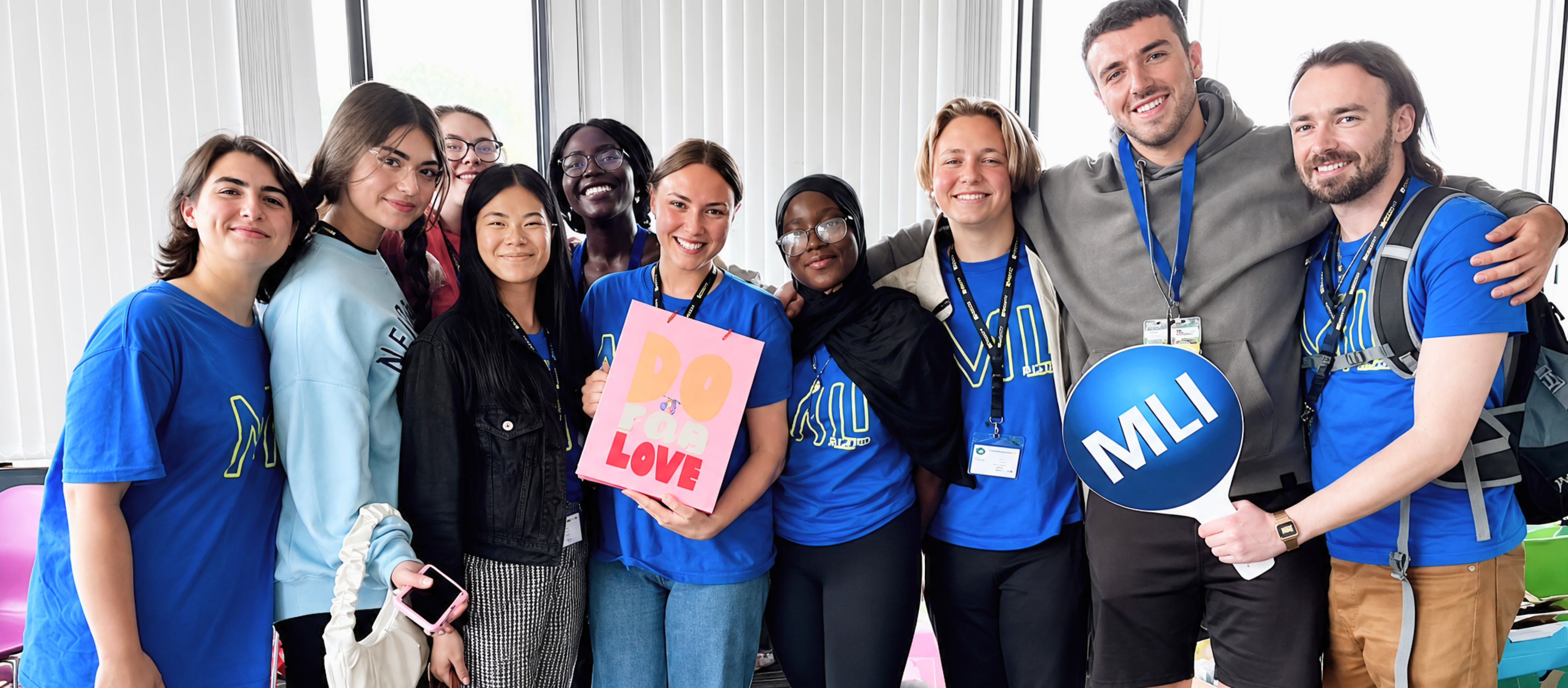
Discuss your projectMLI International Schools has spent over 30 years running Junior English Language and High School programmes across Ireland and the UK, welcoming students from around the world to centres in Dublin, Galway, and beyond. As programmes grew across multiple centres, courses, and levels, MLI needed a system that could coordinate admins, Directorate of Studies (DOS) staff, teaching staff, and students without relying on manual scheduling and paper-based assessment.
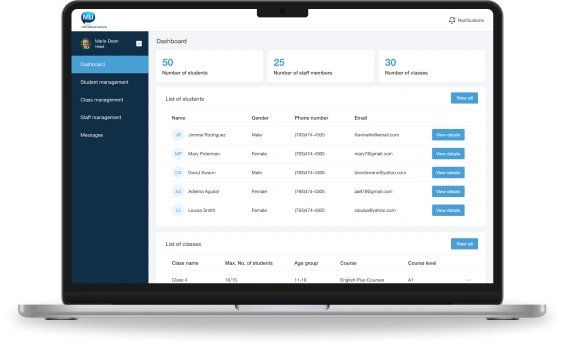
Today, MLI runs its centres on a connected platform spanning a centralised admin web interface, a DOS web interface for centre-level management, and dedicated mobile apps for staff and students, placing course management, assessment-based class placement, scheduling, and grading on one system.
Project Challenges & Needs
Manual Class Placement
Assigning students to the right course level relied on manual review of assessment scores.
Disconnected Centre Operations
Each centre managed classes, staff schedules, and student records independently.
No Mobile Access for Staff or Students
Teachers and students had no on-the-go way to view schedules, grades, or session details.
Limited Reporting Across Centres
Admins lacked a single view of usage, attendance, and performance across all centres.
Our Solution
We developed a scalable, role-based Learning Management Platform enabling:
Centralised course, level, and learning centre management
Assessment based class placement for incoming students
Staff and student scheduling across online, offline, & hybrid sessions
Mobile grading, leaderboards, and session reminders
Firebase-powered usage analytics and cross-centre reporting
One-way push notifications for news, updates, and reminders
The platform combines an admin web interface, a DOS web interface, and native staff and student mobile apps into one connected ecosystem, giving MLI centralised oversight, DOS teams full control at centre level, and staff and students a simple mobile experience for scheduling, grading, and progress.
Interfaces We Developed
Admin Interface (Web)
A centralised control panel allowing MLI's top-level team to:
- Add courses, levels, sessions, and learning centres
- Onboard DOS staff and manage terms, conditions, and policies
- Publish news and PDF resources to staff and students
- Send push notifications across all or selected centres
- Generate reports and Firebase-powered analytics on app usage
Directorate of Studies (DOS) Interface (Web)
A centre-level portal enabling DOS teams to:
- Define classes by course, level, age group, and capacity
- Add student and staff records for their centre
- Review assessment scores and assign course level and class
- Schedule sessions with date, staff, and session type
- Upload completion certificates and manage centre notifications
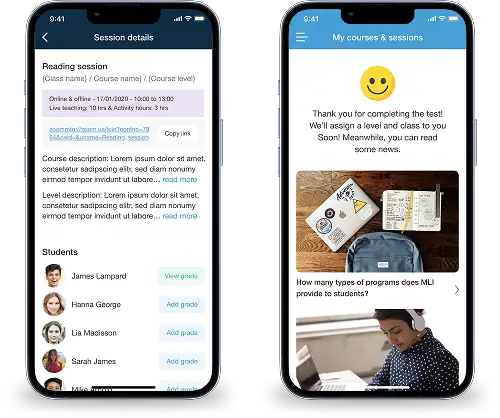
Staff Application (Mobile, iOS & Android)
A mobile companion giving teaching staff:
- Assigned classes, topics, and schedules with session-type visibility
- Reminders 60 minutes before each scheduled session
- The ability to assign activity grades to students after each session
- Notifications for messages sent by admin or DOS
Student Application (Mobile, iOS & Android)
A mobile app giving students:
- An onboarding assessment used to determine course level and class
- Upcoming session schedules with online/offline/hybrid details
- Class leaderboards based on worksheet scores
- News feed, feedback submission, and notification updates
Key Features & Capabilities
Role-Based Access Control
Admin, DOS, staff, and students each access only the tools their role requires.
Assessment-Based Placement
Incoming students are placed into the right course level based on assessment scores.
Multi-Centre Scheduling
Sessions scheduled across online, offline, and hybrid formats per class and centre.
Mobile Grading & Leaderboards
Staff grade activities from mobile; students track progress via class leaderboards.
Session Reminders
Staff and students are notified automatically 60 minutes before each session.
Usage Analytics & Reporting
Firebase Analytics feeds reports on downloads, active users, and centre activity.
How It Works


Admin defines courses, levels, sessions, and onboards each learning centre and DOS.
Students download the app, complete their profile, and take the placement assessment.
DOS reviews scores, assigns class and level, and schedules sessions with staff.
Staff deliver sessions on schedule and assign activity grades from the mobile app.
Students track leaderboards; DOS uploads certificates on course completion.
Outcomes and Impact
30+
Years Running Junior & High School Programmes
5000+
Students Welcomed Across Centres
8+
Centres Across Ireland and the UK
2
Countries Served, Ireland and the UK
Technologies Used to Develop the Solution
Web Frontend

Next.js
Admin and DOS web interfaces for centre and course management.
Mobile

React Native (iOS & Android)
Cross-platform staff and student apps for scheduling and grading.
Backend

Node.js (NestJS)
Modular APIs powering course, scheduling, and grading workflows.
Database

PostgreSQL
Reliable storage for student, staff, and session records.
Analysts

Firebase Analytics
Tracks app usage, downloads, and active users across centres.
Notifications

Firebase Cloud Messaging
One-way push alerts for news, reminders, and centre updates.
Video Conferencing

Twilio Video Integration
Per-staff meeting links for online and hybrid sessions.
Cloud Infrastructure

AWS (ECS, S3, RDS)
Scalable infrastructure across all learning centres.
Security

Role-Based Access & Encryption
Protects student, staff, and assessment data end to end.
Here's What Our Client Has to Say
MLI has spent three decades bringing students from around the world into our centres for a first-class learning experience. This platform gave us one system to place students in the right class, schedule staff, and track progress across every centre, so our teams can focus on teaching rather than admin.
Get in touch
Share a few details about what you're building, and we'll take it from there.